Resume
Two-column CV with experience, education, skills, languages and projects that flows cleanly across pages.
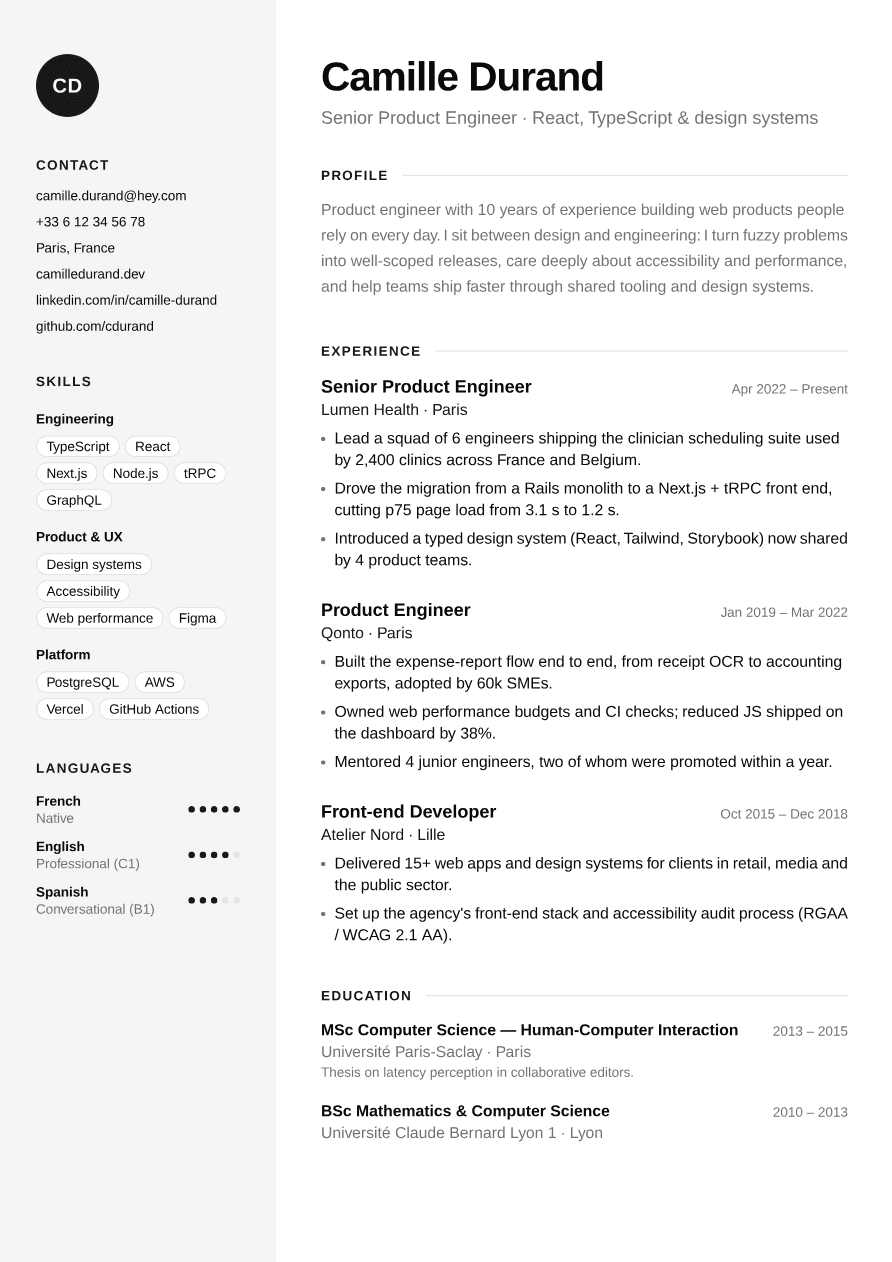
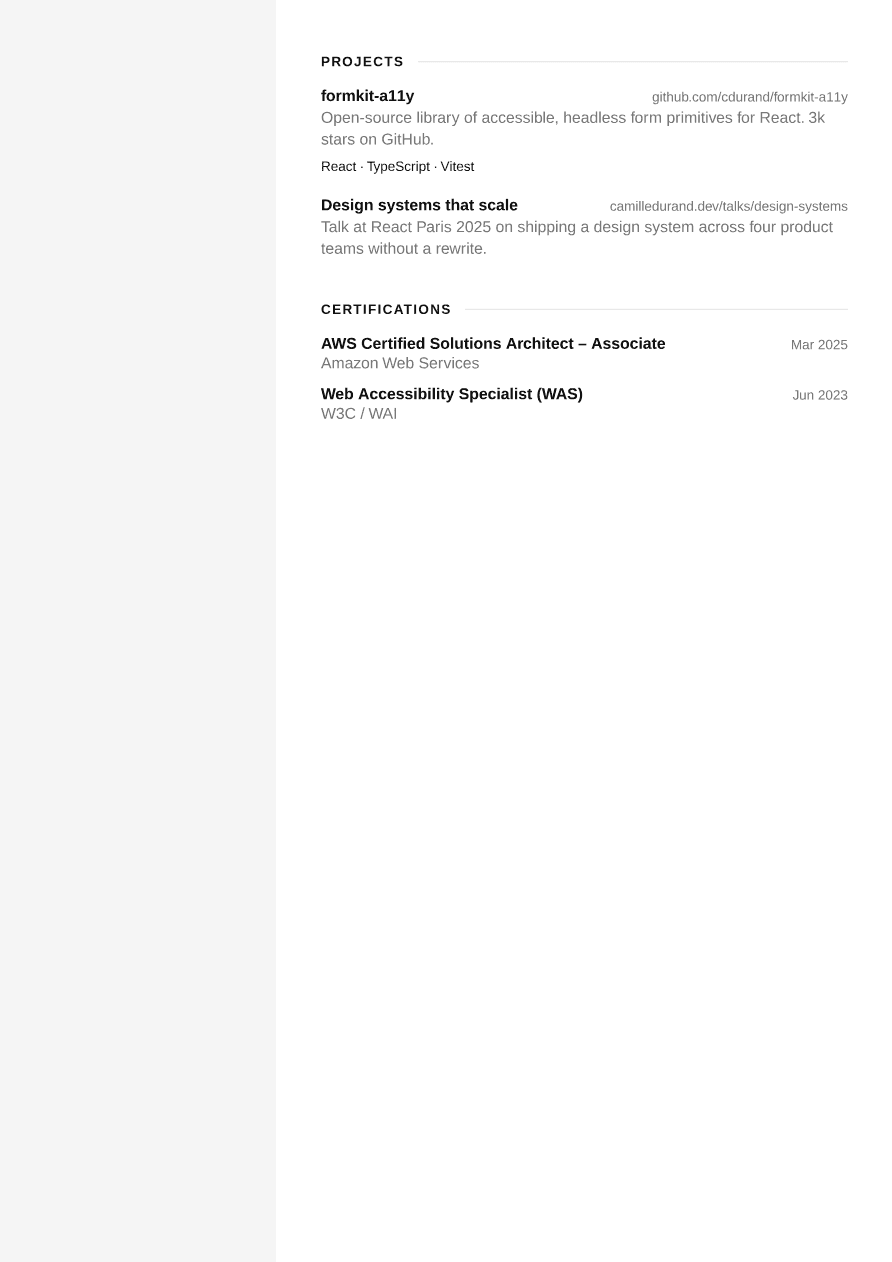
import { Resume } from "@/components/pdf/resume";import { exampleResume } from "@/components/pdf/resume-example";
export default function ResumeExample() {  return <Resume data={exampleResume} />;}
Installation
npx shadcn add https://ui-registry.com/r/pdf/resume.jsonThis installs resume.tsx, a resume-example.ts with sample data, and the components it uses: Badge and Heading.
Usage
import { Resume } from "@/components/pdf/resume";
<Resume data={{ name: "Camille Durand", headline: "Senior Product Engineer · React, TypeScript & design systems", email: "camille.durand@hey.com", phone: "+33 6 12 34 56 78", location: "Paris, France", links: [ { label: "camilledurand.dev", url: "https://camilledurand.dev" }, { label: "linkedin.com/in/camille-durand", url: "https://www.linkedin.com/in/camille-durand" }, ], locale: "en-US", summary: "Product engineer with 10 years of experience building web products people rely on every day.", experience: [ { role: "Senior Product Engineer", company: "Lumen Health", location: "Paris", start: new Date("2022-04-01"), // no `end`: shown as "Present" highlights: [ "Lead a squad of 6 engineers shipping the clinician scheduling suite.", "Cut p75 page load from 3.1 s to 1.2 s.", ], }, ], education: [ { degree: "MSc Computer Science", school: "Université Paris-Saclay", start: new Date("2013-09-01"), end: new Date("2015-09-01"), }, ], skills: [{ name: "Engineering", items: ["TypeScript", "React", "Next.js"] }], languages: [ { name: "French", level: "Native", rating: 5 }, { name: "English", level: "Professional (C1)", rating: 4 }, ], }} theme={{ "--color-primary": "#1e3a5f" }}/>Resume renders a full <Document>: pass it straight to PDFViewer, renderToBuffer, etc.
Only name, headline and experience are required. Every other section (summary, education, skills, languages, projects, certifications) is skipped when its data is missing or empty.
Layout
layout | Description |
|---|---|
"sidebar" (default) | Contact, skills and languages in a tinted left column (bg-muted), with an initials monogram. Summary, experience, education, projects and certifications on the right. |
"single" | One column: the contact details sit on one line under the name, and skills and languages come after the other sections. |
<Resume data={data} layout="single" />Prefer "single" when the sidebar content is long (many skill groups) or when an applicant tracking system will parse the PDF.
Translate labels
All visible labels can be overridden:
<Resume data={{ ...data, locale: "fr-FR" }} labels={{ profile: "Profil", experience: "Expérience", education: "Formation", projects: "Projets", certifications: "Certifications", contact: "Contact", skills: "Compétences", languages: "Langues", present: "Aujourd'hui", }}/>Dates are formatted with Intl using data.locale (month and year for positions and certifications, years only for a degree with an end date).
Multi-page
The resume flows onto as many pages as needed:
- Each experience, education, project and certification entry is kept in one piece and moves to the next page rather than splitting.
- A section title always stays on the same page as its first entry.
- In the sidebar layout, the tinted background is a
fixedelement repeated on every page, so the sidebar column stays whole on page 2 and beyond even though the sidebar content only appears on the first page.