Invoice
Complete multi-page invoice with line items, taxes, totals and localized amounts.
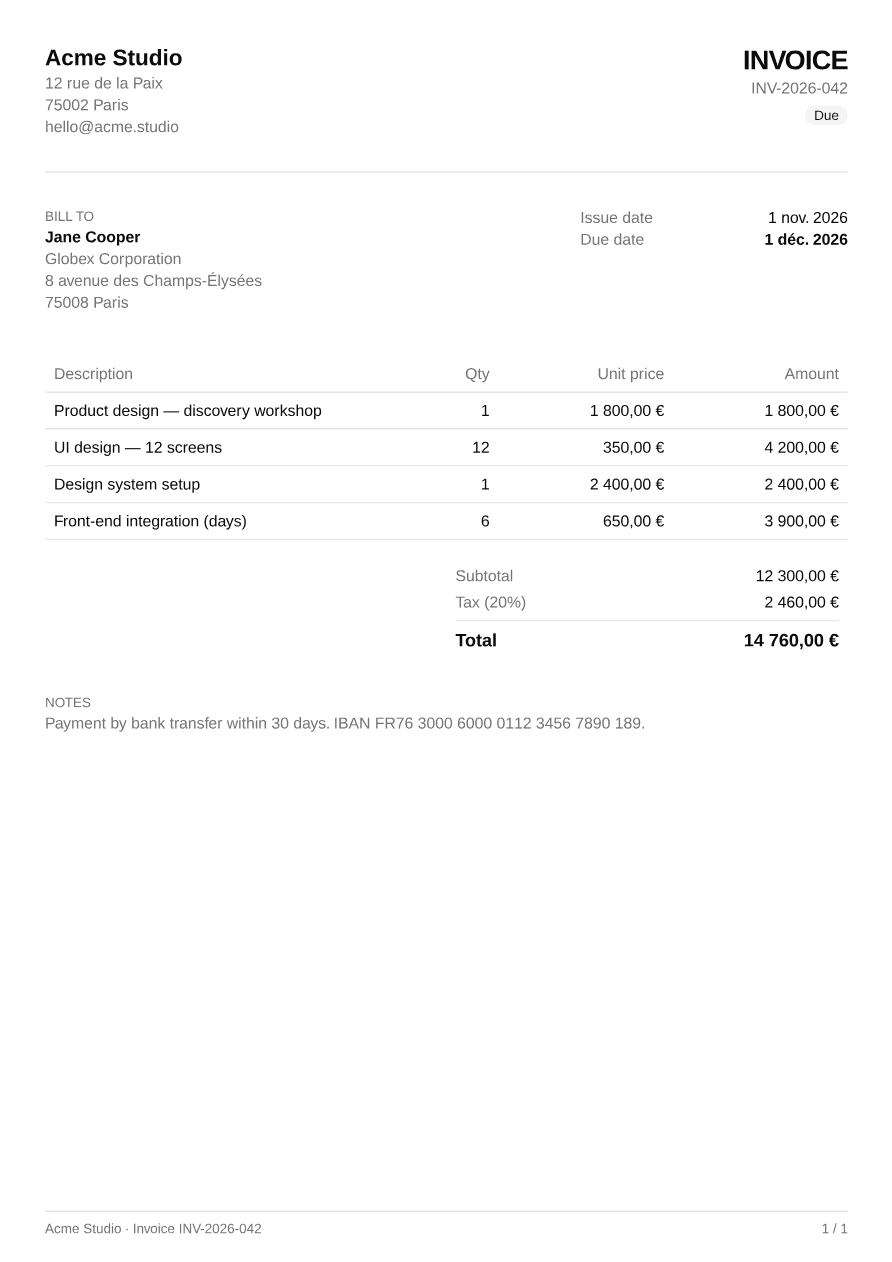
1 pageOpen PDF ↗
invoice-example.tsx
import { Invoice } from "@/components/pdf/invoice";import { exampleInvoice } from "@/components/pdf/invoice-example";
export default function InvoiceExample() {  return <Invoice data={exampleInvoice} />;}
Installation
Terminal
npx shadcn add https://ui-registry.com/r/pdf/invoice.jsonThis installs invoice.tsx, an invoice-example.ts with sample data, and the components it uses: Badge, Heading, Page Footer, Separator and Table.
Usage
tsx
import { Invoice } from "@/components/pdf/invoice";
<Invoice  data={{    number: "INV-2026-042",    issueDate: new Date("2026-11-01"),    dueDate: new Date("2026-12-01"),    status: "due",    currency: "EUR",    locale: "fr-FR",    taxRate: 20,    from: { name: "Acme Studio", lines: ["12 rue de la Paix", "75002 Paris"] },    to: { name: "Jane Cooper", lines: ["Globex Corporation"] },    items: [{ description: "UI design — 12 screens", quantity: 12, unitPrice: 350 }],  }}  theme={{ "--color-primary": "#0073e6" }}/>
Invoice renders a full <Document>: pass it straight to PDFViewer, renderToBuffer, etc.
Generate it on the server
app/invoices/[id]/route.tsx
import { renderToBuffer } from "@ui-registries/pdf";import { Invoice } from "@/components/pdf/invoice";
export async function GET(_req: Request, { params }: { params: Promise<{ id: string }> }) {  const { id } = await params;  const data = await getInvoice(id); // your data source  const buffer = await renderToBuffer(<Invoice data={data} />);  return new Response(buffer, {    headers: {      "Content-Type": "application/pdf",      "Content-Disposition": `inline; filename="${data.number}.pdf"`,    },  });}
In Next.js, add @react-pdf/renderer to serverExternalPackages in next.config.
Translate labels
All visible labels can be overridden:
tsx
<Invoice data={data} labels={{ invoice: "Facture", billTo: "Facturé à", issueDate: "Date d'émission", dueDate: "Échéance", description: "Description", quantity: "Qté", unitPrice: "Prix unitaire", amount: "Montant", subtotal: "Sous-total", tax: "TVA", total: "Total", notes: "Notes", status: { draft: "Brouillon", due: "À payer", paid: "Payée", overdue: "En retard" }, }}/>Amounts and dates are formatted with Intl using data.locale and data.currency.
Multi-page
Long invoices flow onto several pages: the table header and the footer (with page numbers) are repeated, rows are never split, and the totals block stays in one piece.